
Support Tickets That Turn Into Scheduled Jobs
Every customer email becomes a tracked ticket automatically. Route it with automation rules, reply with saved templates, and when it's time to send a technician, convert the ticket straight into a scheduled service job.
Everything You Need
Complete help desk solution for service businesses
Email-to-Ticket Inbox
Inbound emails become tickets automatically. Reply from the same threaded view your customer sees, right alongside your team's internal notes.
Ticket-to-Job Conversion
Turn a support ticket directly into a scheduled service job. Technician assignment and pricing pull from the client's existing service agreement.
Automated Workflows
Rules trigger on ticket status, priority, category, or elapsed time—auto-assign, change status, add tags, send emails, and set due dates.
Saved Replies
A shared library of response templates for common requests—ETA updates, appointment confirmations, parts status—with usage tracking built in.
Team-Based Routing
Organize agents into teams like Support, Escalations, or Customer Success, and assign tickets to a team instead of a single person.
Merge, Split & Escalate
Combine duplicate tickets, split a multi-issue thread into separate tickets, or escalate to a specialist—all without losing conversation history.
Powerful Support Features
Everything you need for world-class support
Search, Filter, and Stay on Top of Every Ticket
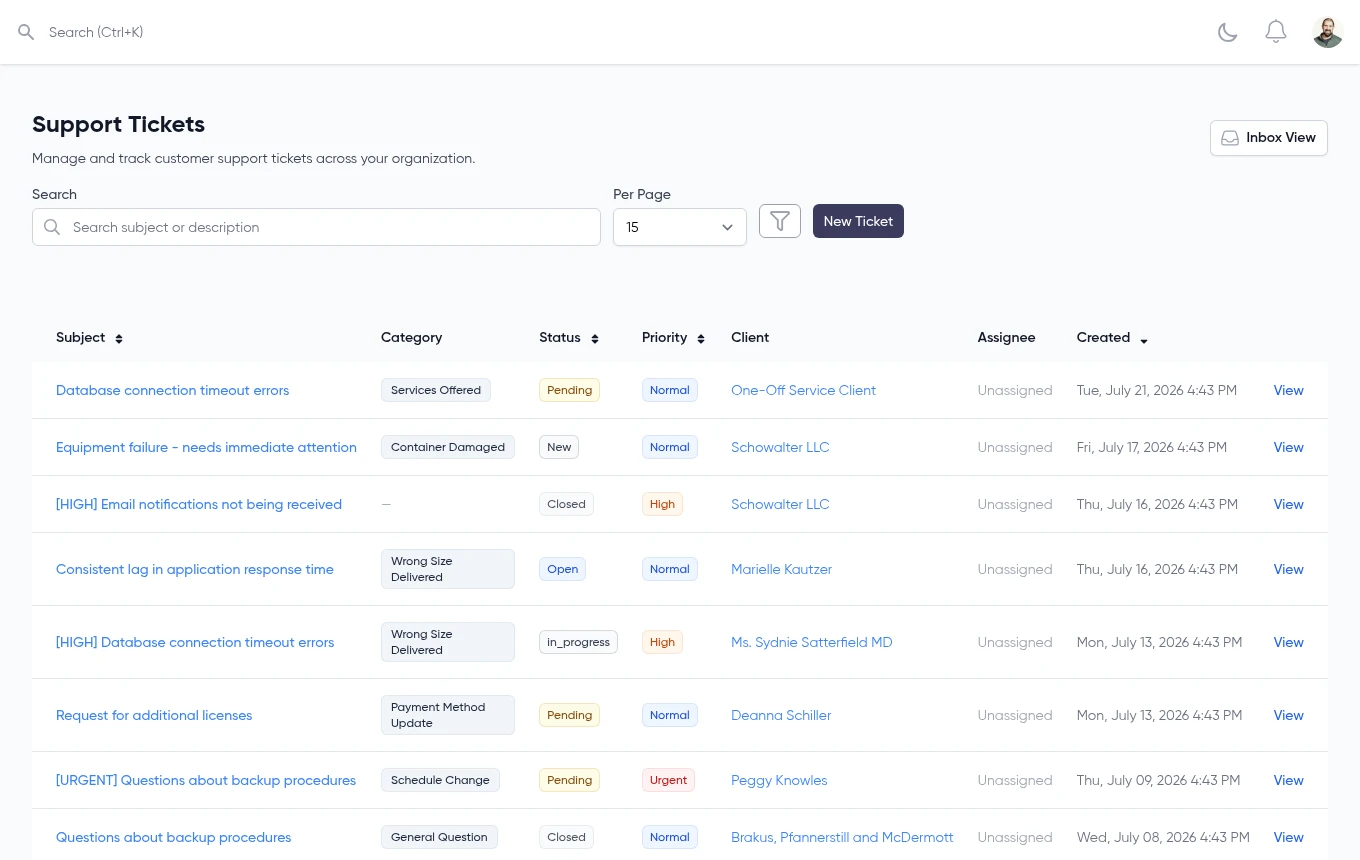
Every ticket lives in one sortable, filterable list. Search by subject or description, then narrow down by status, priority, category, or client to find exactly what you need.
- Filter by status, priority, category, or client
- Sort by any column, including created date
- See assignee and client at a glance
- Switch between list view and threaded inbox view
Reply Faster With a Shared Template Library
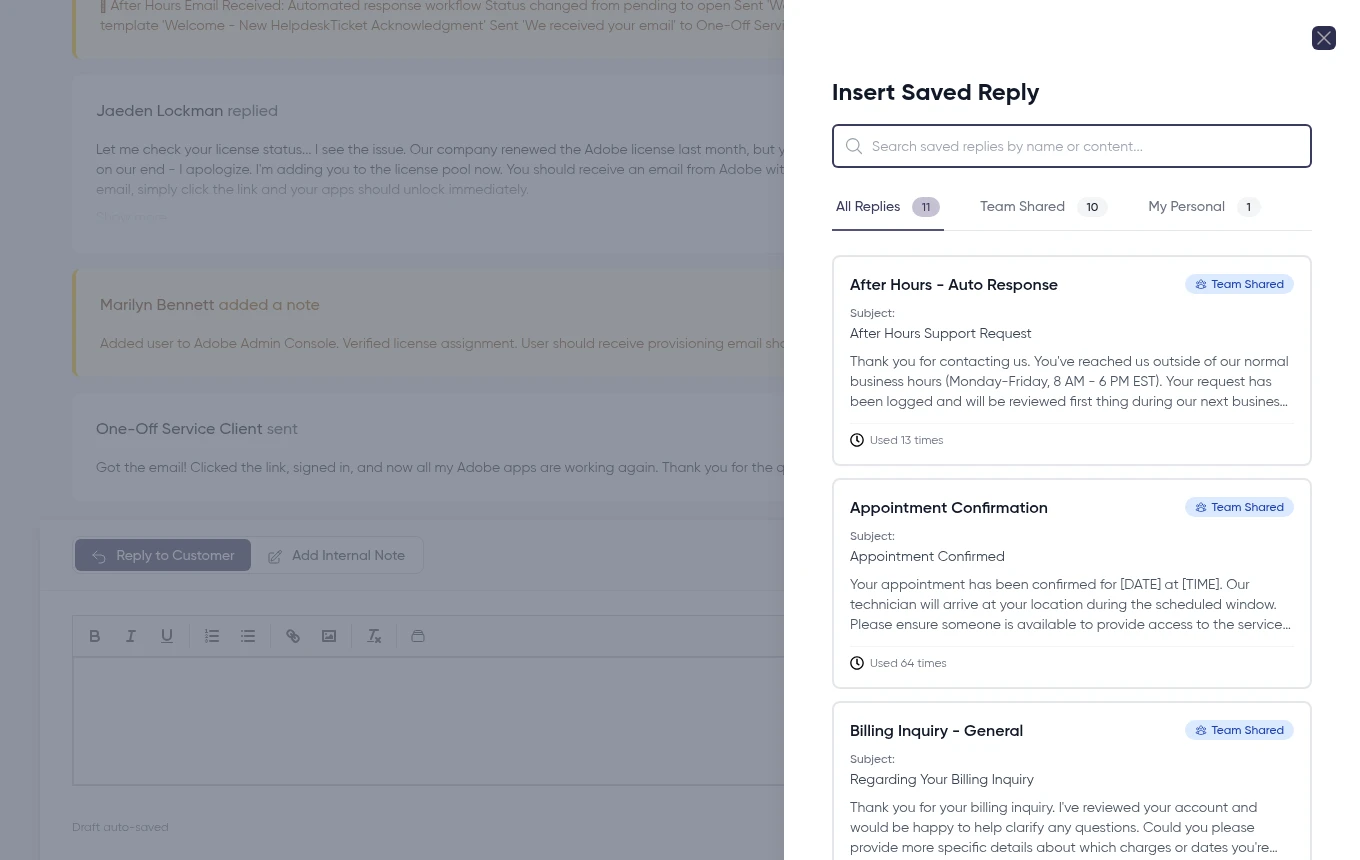
Save your team's best responses—appointment confirmations, ETA updates, parts status—and reuse them with one click. Usage counts show which templates are actually getting used.
- Shared and personal saved replies
- One-click insert into any ticket reply
- Usage tracking per template
- Suggested replies based on the ticket's category
From Inbox to Dispatched Job
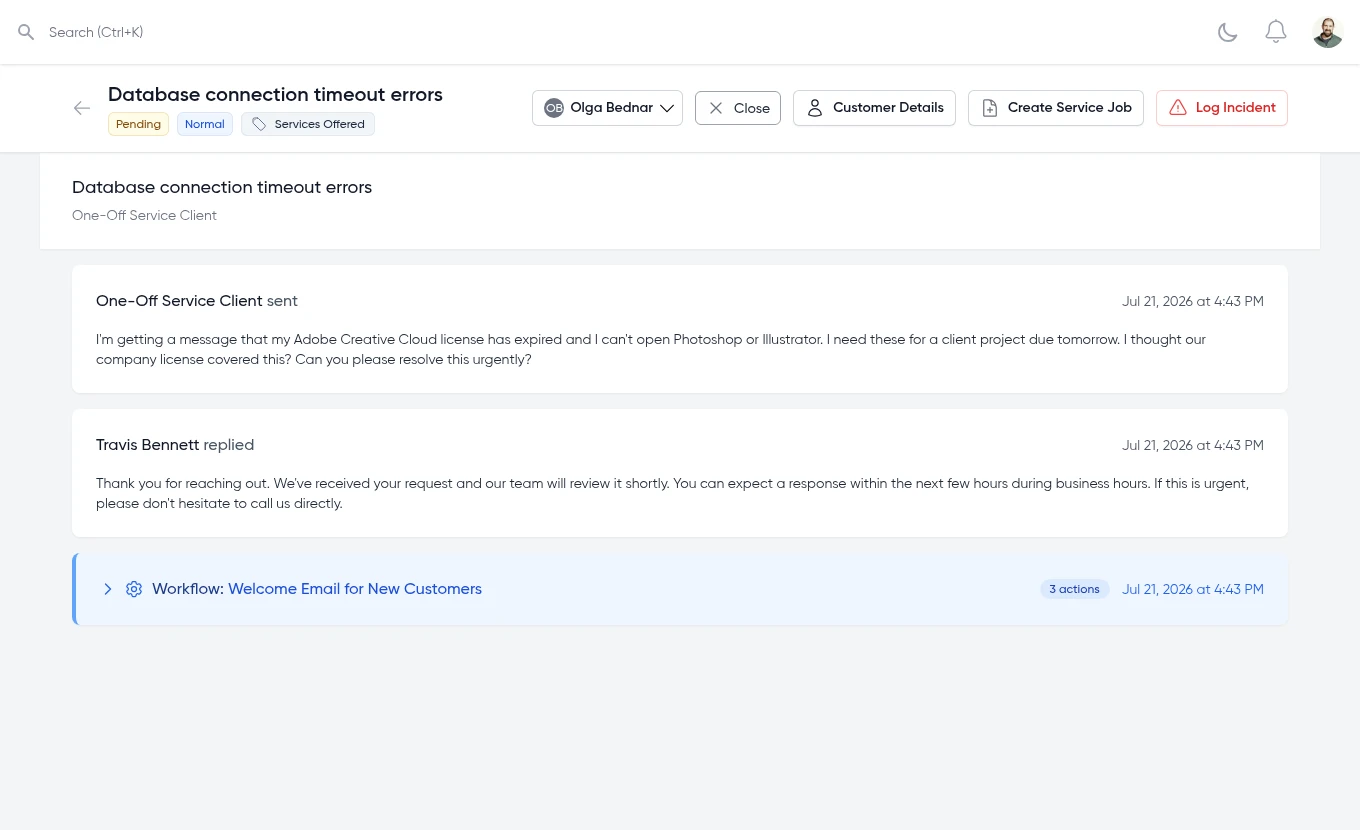
Customer emails become tickets automatically. Reply, route, and when it's time to send a technician, convert the ticket straight into a scheduled service job—pricing and history come with it.
- Threaded replies with internal-only notes for your team
- Workflow rules auto-route, tag, and escalate tickets
- Convert any ticket into a scheduled service job in one click
- Full audit trail of every automated and manual action
How It Works
From inbox to resolved—or dispatched—in three steps
Email Becomes a Ticket
Customer emails come in and are automatically created as tickets in your unified inbox—no manual entry.
Workflows Route and Respond
Automation rules assign the right team, set priority, and can send an automatic first reply—no manual triage needed.
Resolve or Convert to a Job
Reply with a saved template and close it out, or convert the ticket straight into a scheduled service job when a technician needs to go on-site.
Ready to Deliver Exceptional Support?
Join service businesses turning every customer request into a tracked ticket—and every job-worthy ticket into a scheduled visit.
No credit card required • Free 30-day trial • Cancel anytime
© 2026 Code Sleeve, LLC. All rights reserved.