
Simple Time Tracking, Right on the Job
Start a timer the moment work begins, pause when you step away, and stop when the job's done—time logged straight to the job it belongs to.
A Timer Built Into Every Job
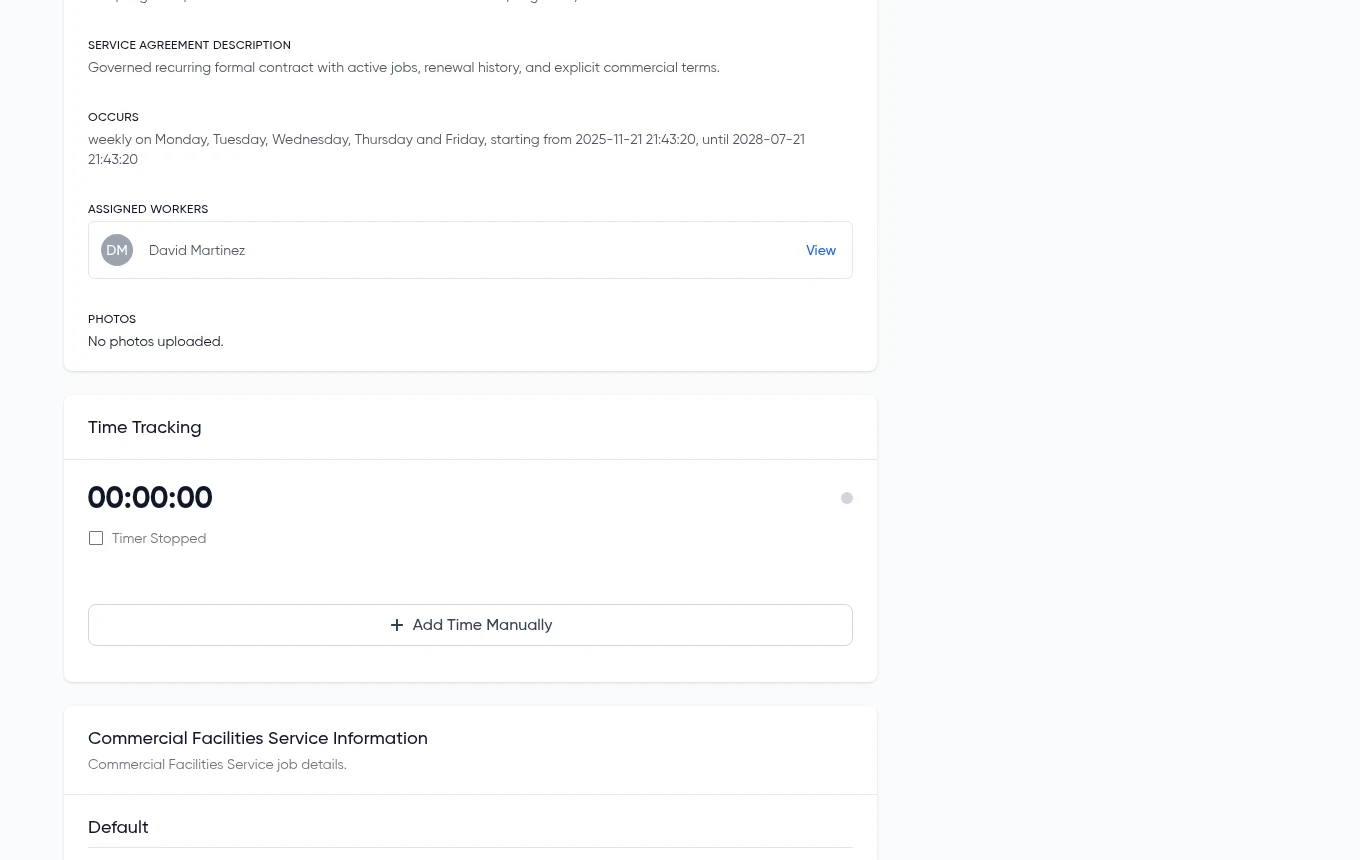
Turn on time tracking for any service type, and a simple start/pause/stop timer appears right on the job. No separate app to juggle, no manual math at the end of the day—just accurate time tied to the work it took.
- Start, pause, and stop right from the job
- Time rounds to a configurable minimum increment
- Auto-stops after a set number of hours if left running
- Add time manually when a timer wasn't running
Configure the Timer to Match How You Work
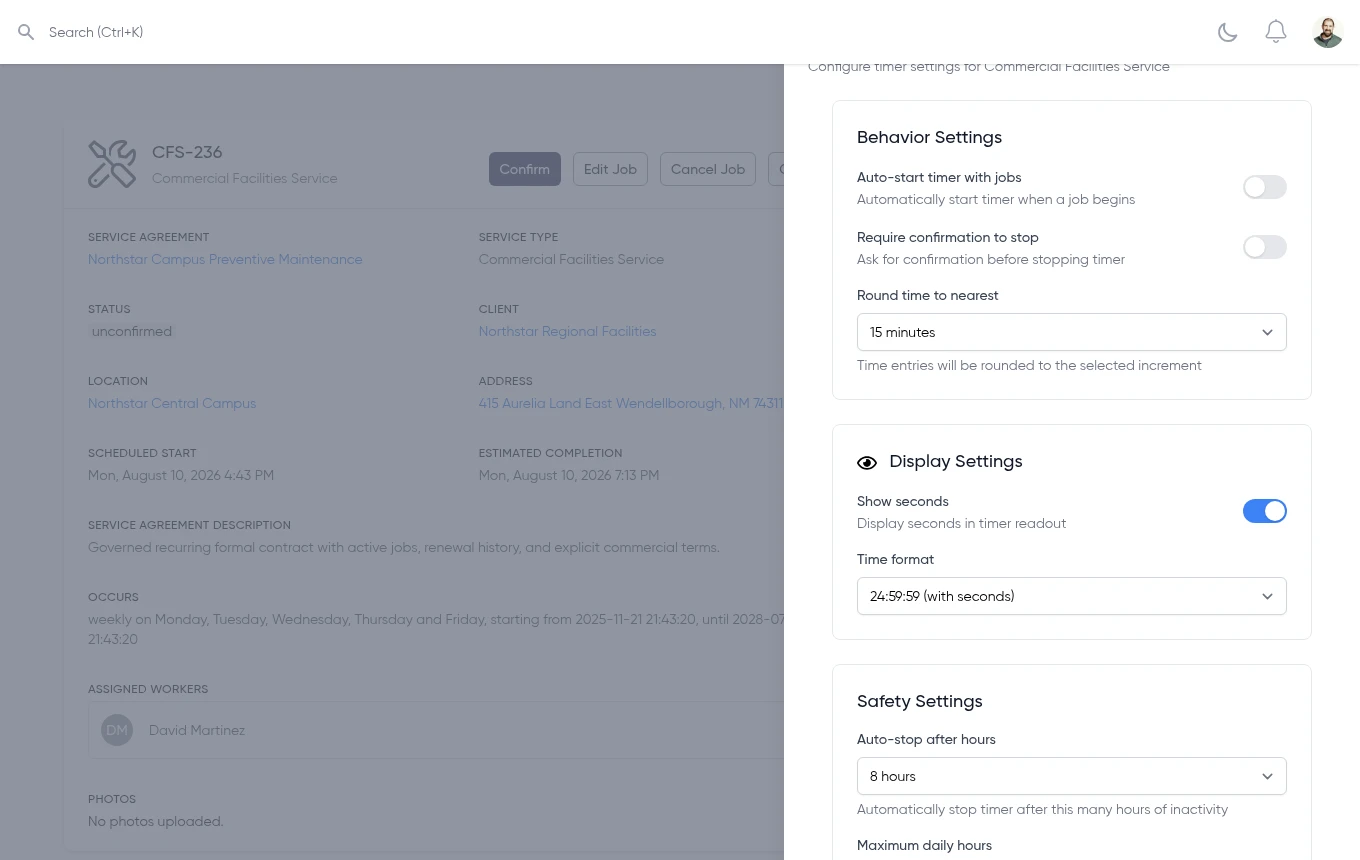
Every service type with time tracking enabled gets its own timer configuration—how it behaves, what it displays, and the safety limits that keep a forgotten timer from running all night.
- Auto-start with the job, and require confirmation to stop
- Round time to the nearest 1, 5, 15, 30, or 60 minutes
- Choose whether the readout shows seconds
- Set an auto-stop window and a daily-hours warning limit
How It Fits Into Your Jobs
A focused timer, not a full timesheet system—here's exactly what it does
Start, Pause, Stop
Run the timer while work is happening, pause it for a break, and stop it when the job's done. The elapsed time stays with the job.
Manual Time Entry
Forgot to start the timer, or tracking time after the fact? Add it manually and it lands on the job the same way.
Per-Service-Type Setup
Turn time tracking on only for the service types that need it, like time-and-materials work—it won't show up where it doesn't apply.
How It Works
Three steps, right on the job
Turn It On
Enable the Timer extension for any service type that needs it, right from service type settings.
Track the Job
Start, pause, and stop the timer right from the job—or add time manually if the timer wasn't running.
Time On the Record
The logged time stays with the job for reference alongside the rest of the job's details.
See It on Your Own Jobs
Start a free trial and turn on time tracking for the service types that need it.
No credit card required • Free 30-day trial • Cancel anytime
© 2026 Code Sleeve, LLC. All rights reserved.