
Scheduling Built for Field Service Dispatch
See every technician's day at a glance, assign jobs automatically with round robin or least-busy rules, and catch conflicts before they reach the field.
Your Whole Team's Day, One Screen
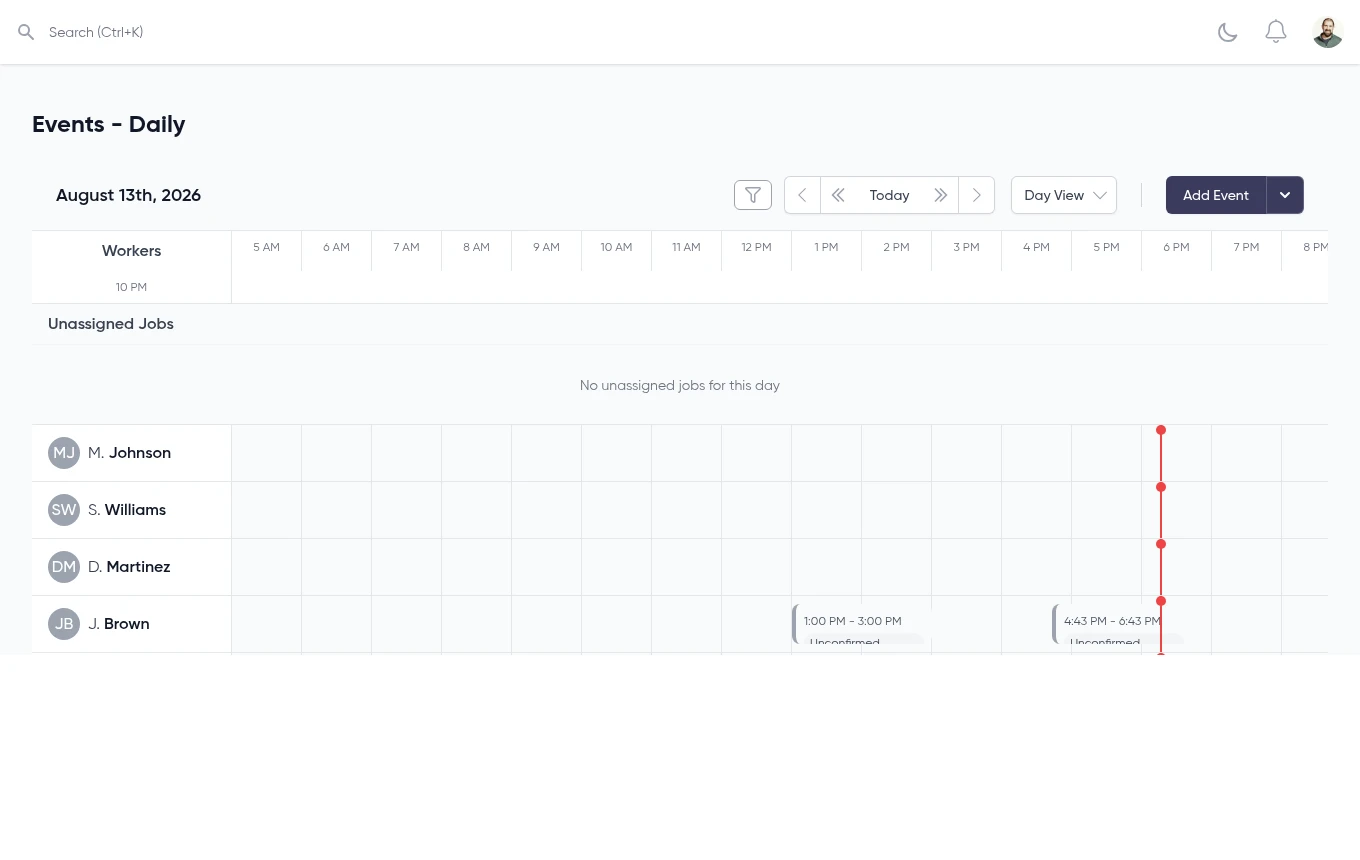
The daily dispatch board lines up every technician side by side with a live time indicator, so you always know who's free, who's booked, and what's still unassigned.
- Per-technician timeline for the day
- Unassigned jobs pooled at the top
- Live current-time indicator
- Built-in availability conflict detection
Powerful Features
Everything you need to master your schedule
Automatic Job Assignment, Your Rules
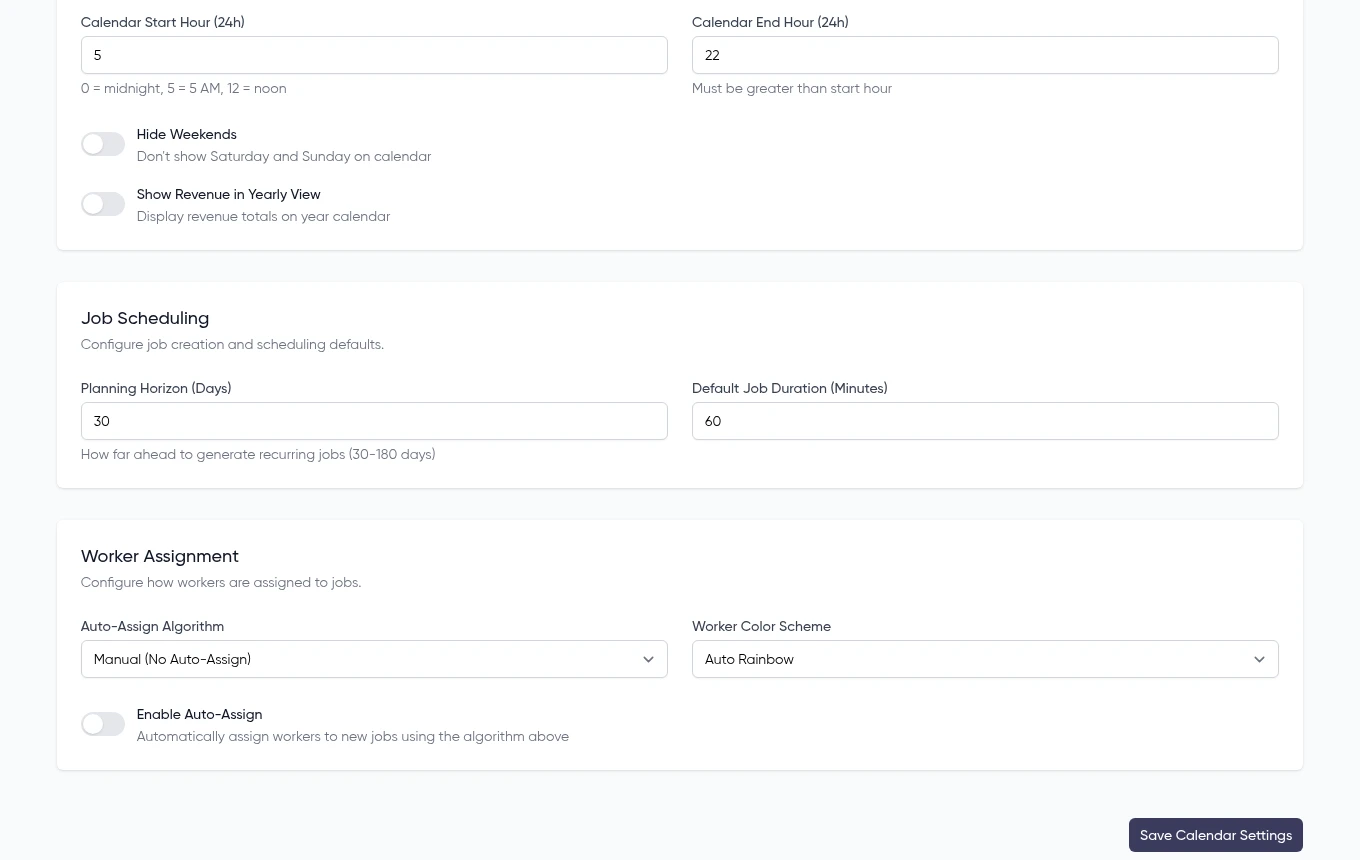
New jobs can be assigned automatically the moment they're created—round robin for even distribution, least busy to balance workload, or closest location to cut drive time. Or keep it fully manual.
- Round robin, least busy, or closest location
- Manual assignment always available
- Worker availability checked before assignment
- Enable or disable auto-assign anytime
Every Job, Every Day of the Week
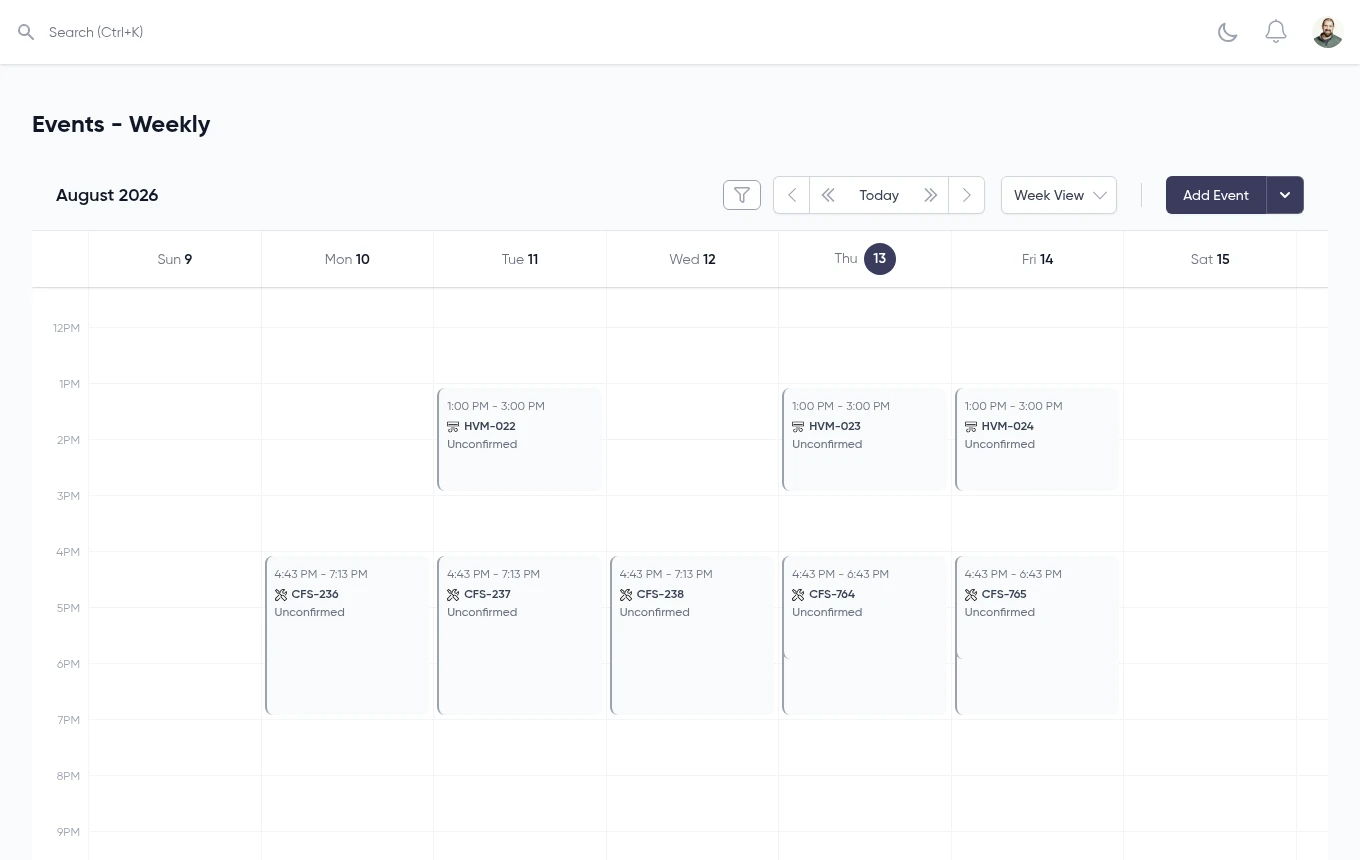
Switch to week view to see the whole team's schedule at once. Each job shows its time window and confirmation status, so dispatchers can spot gaps and double-bookings fast.
- Full week at a glance across all jobs
- Job status shown right on the calendar
- Jump between day, week, month, and year views
- Today jump and quick prev/next navigation
How It Works
From job creation to a technician's calendar in three steps
Job Created
A new job is created with a scheduled date and time, ready to land on the calendar.
Assigned to a Technician
Assign it yourself, or let auto-assign place it using round robin, least busy, or closest location—availability is checked either way.
On the Schedule
The job appears on the technician's daily timeline and the team's week view, with status visible right on the calendar.
Everything You Need
Comprehensive scheduling tools for modern service businesses
Multi-View Calendar
Day, week, month, year, and list views, each configurable to your team's business hours and week start.
Technician Dispatch Board
See every worker's day as a timeline, with unassigned jobs pooled at the top and ready to place.
Automatic Job Assignment
Assign new jobs automatically using round robin, least busy, or closest location—or keep it manual.
Configurable Scheduling Rules
Set default job duration, planning horizon, time-slot increments, and calendar hours to match how your team works.
Conflict Detection
Worker availability is checked before assignment, so double-bookings get caught before they reach the field.
Worker Color Coding
Auto-rainbow, manual, or role-based color schemes make it easy to scan who's on the board at a glance.
Ready to Transform Your Scheduling?
Join 1,200+ service businesses saving time and money with ServiceGrep's intelligent scheduling system.
No credit card required • Free 30-day trial • Cancel anytime
© 2026 Code Sleeve, LLC. All rights reserved.